
Web Development • November 18, 2026

A website is often where potential customers go to learn about a business, its products or services, and what it stands for. But having a website is only part of the equation. It also needs to establish credibility.
According to a Clutch survey, 83% of consumers judge a website’s credibility in under 20 seconds. Factors such as design, loading speed and the quality of information all shape that first impression. All these come down to web development.
Building an effective website takes more than good design. The right platform, technology, structure and functionality determine how well it serves visitors and supports business goals.
Whether you're building your first business website or redesigning an existing one, this guide covers everything from website types and development platforms to costs, technologies and the development process.
Let’s dive in.
Website development is the process of building, creating and maintaining a website. It involves everything from developing the structure and functionality to ensuring the website works smoothly across different devices and browsers.
Website development generally involves three key areas:
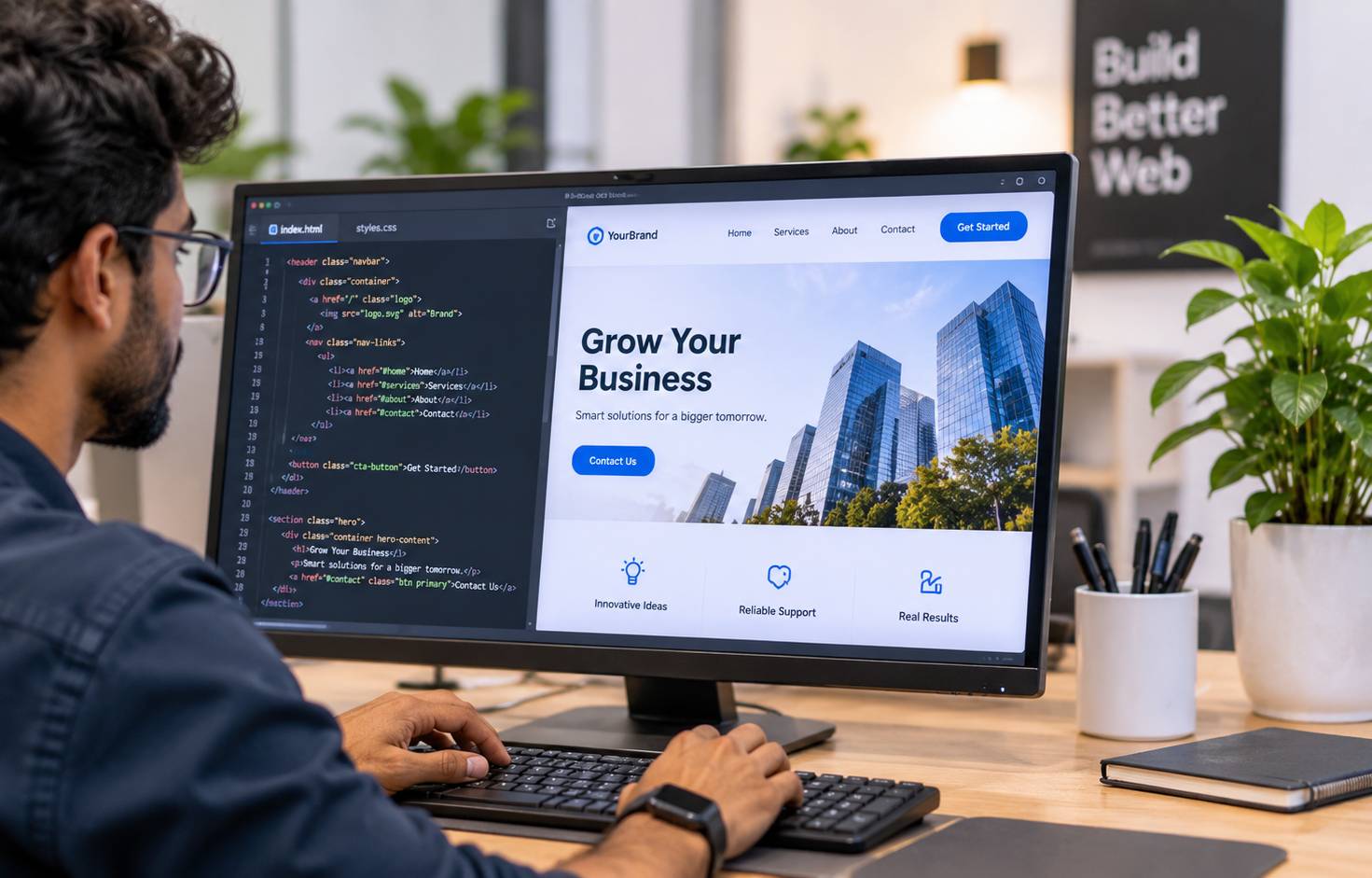

For example, when a customer submits an enquiry form, the back end processes the information and sends it to the relevant system or database.
Understanding these components makes it easier to choose the right development approach for your business.
If optimised properly, a website can do a lot more than merely being an online business-display platform. Here are some of the key benefits it can offer for your business, provided it’s well-optimised.
Imagine you own a dental clinic and someone is searching Google for "dental implants near me".
If your dental clinic has a well-optimised website with a dedicated dental implant service page, you have an opportunity to appear in those search results.
And that's how potential customers can discover your business without knowing your brand name beforehand.
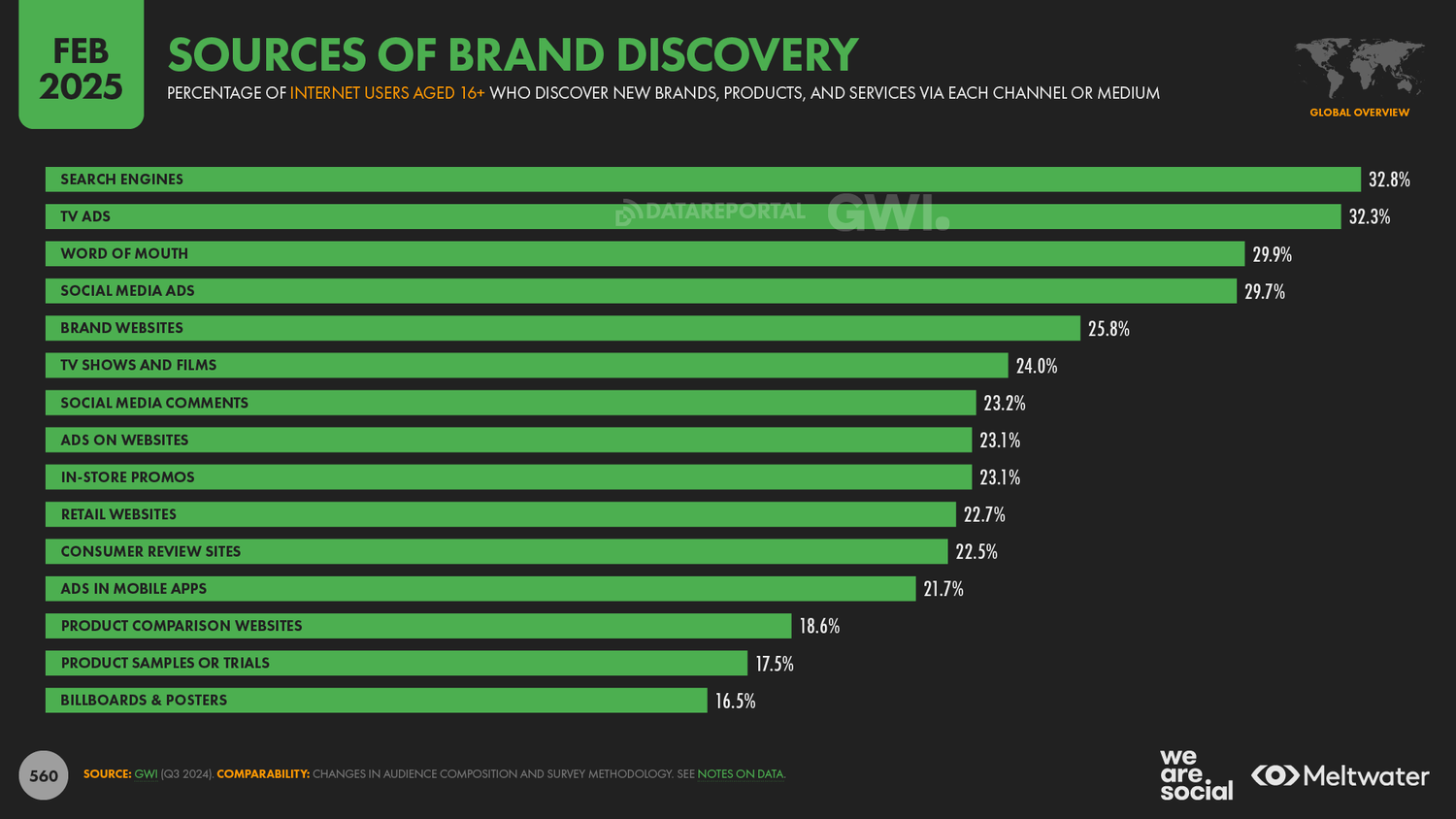
According to DataReportal, 32.8% of adult internet users discover new brands and products through search engines.
Would you hire an interior designer without seeing their previous work?
Probably not.
Customers want proof that a business can deliver what it promises. Your website gives them a place to explore portfolios, client testimonials, certifications, case studies and company information before making an enquiry.
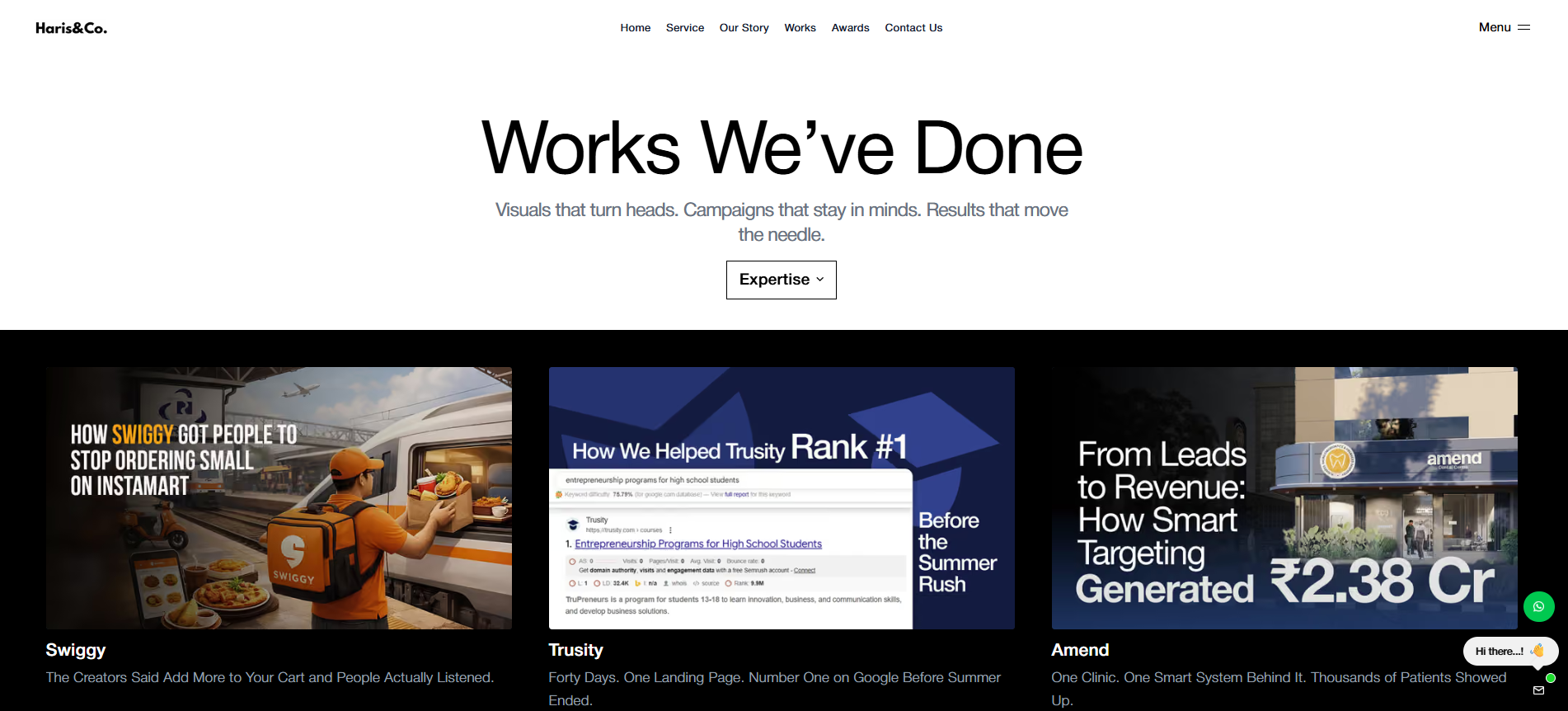
Here is how we display our work at Haris&Co:
A 2026 website trust study by Revamp found that website pages displaying customer reviews scored 0.40 points higher on a seven-point trust scale than comparable pages without reviews. The study also found that professional-looking pages scored 0.52 points higher than basic-looking pages.
A potential customer might be interested in your services but unwilling to call immediately. A website lets them take the next step at their convenience.
For a travel agency, that could mean browsing tour packages, comparing itineraries and submitting an enquiry.
For an online store, it could mean adding products to a cart and completing a purchase.
A great example would be one of our clients–BOSQ–a workspace solution provider. Following the website revamp by Haris&Co., their enquiries rose. In fact, a maximum of 4 million rupees worth of orders was secured in a month.
Consider a driving school that receives dozens of calls every day asking about course fees, eligibility, class timings and registration procedures.
Making this information available on its website allows customers to find answers independently. Add online registration and appointment booking, and the website can handle tasks that would otherwise require staff assistance.
Getting 1,000 visitors from a Google Ads campaign sounds promising.
But how many submitted an enquiry?
How many booked an appointment?
And which campaign brought them?
With tools such as Google Analytics 4 and conversion tracking, your website can help answer these questions.
This matters because traffic alone doesn't guarantee business results.
Tracking visitor actions helps businesses identify where potential customers drop off and what needs improvement.
A clothing brand selling exclusively through Instagram depends on the platform's features, visibility and limitations.
With its own website, the brand can organise products into collections, publish detailed size guides, introduce loyalty programmes, offer different payment methods and build a customer experience around its business model.
A website doesn't replace social media. It gives your business a digital presence you can manage with greater independence.
Businesses across industries differ in how they operate. Similarly, the needs of the customers and how they interact with a business vary. So, the look, functions and purpose of each website also change accordingly.
Here are some common types of websites.
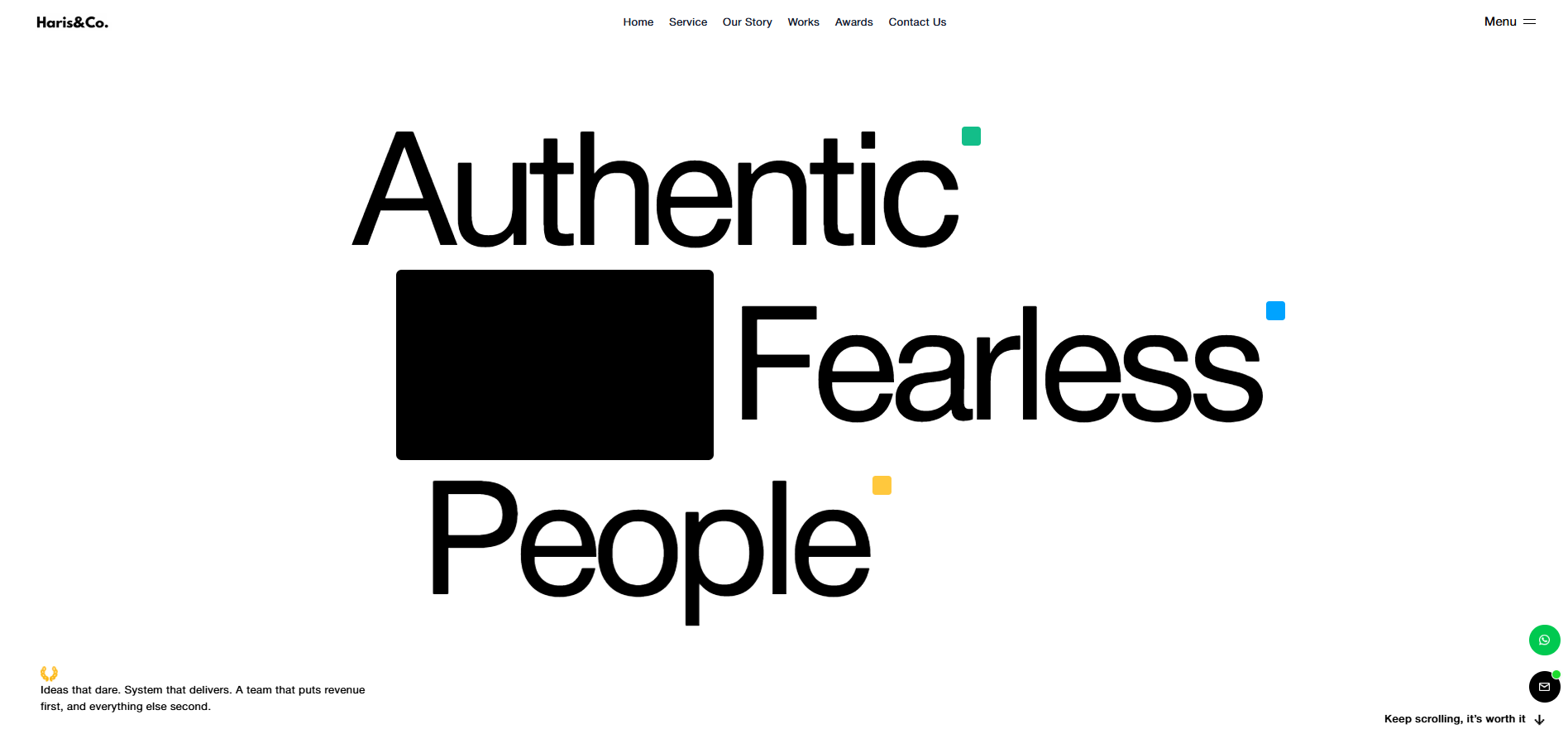
These websites introduce a company, explain its products or services, showcase its expertise and help potential customers get in touch. They are suitable for service providers, agencies, consultants and other businesses.
Take our website–https://harisand.co/ – as an example.
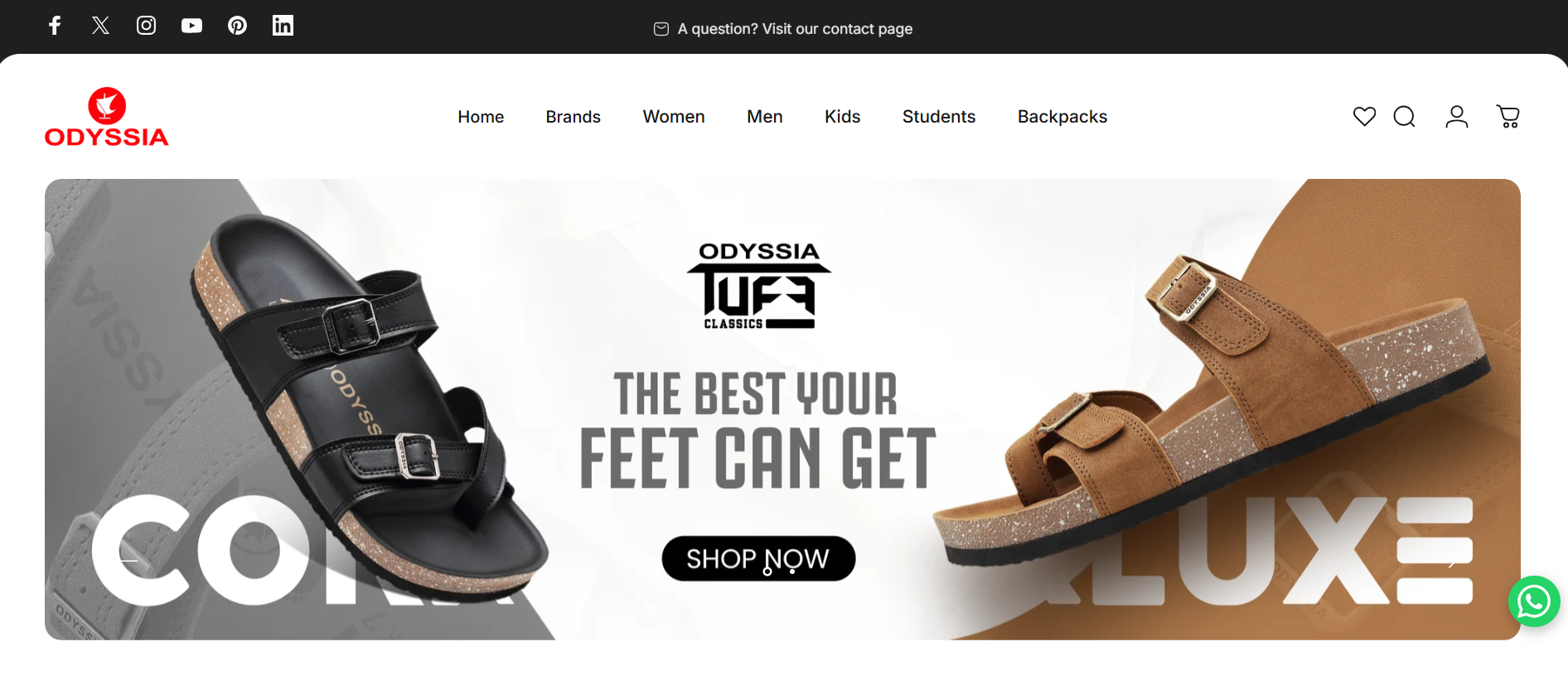
E-commerce websites allow businesses to sell products or services online. They typically include product listings, shopping carts, payment gateways, order management and customer accounts.
Examples include Myntra, Amazon, Flipkart, etc.
Here are some of the e-commerce sites we have built:
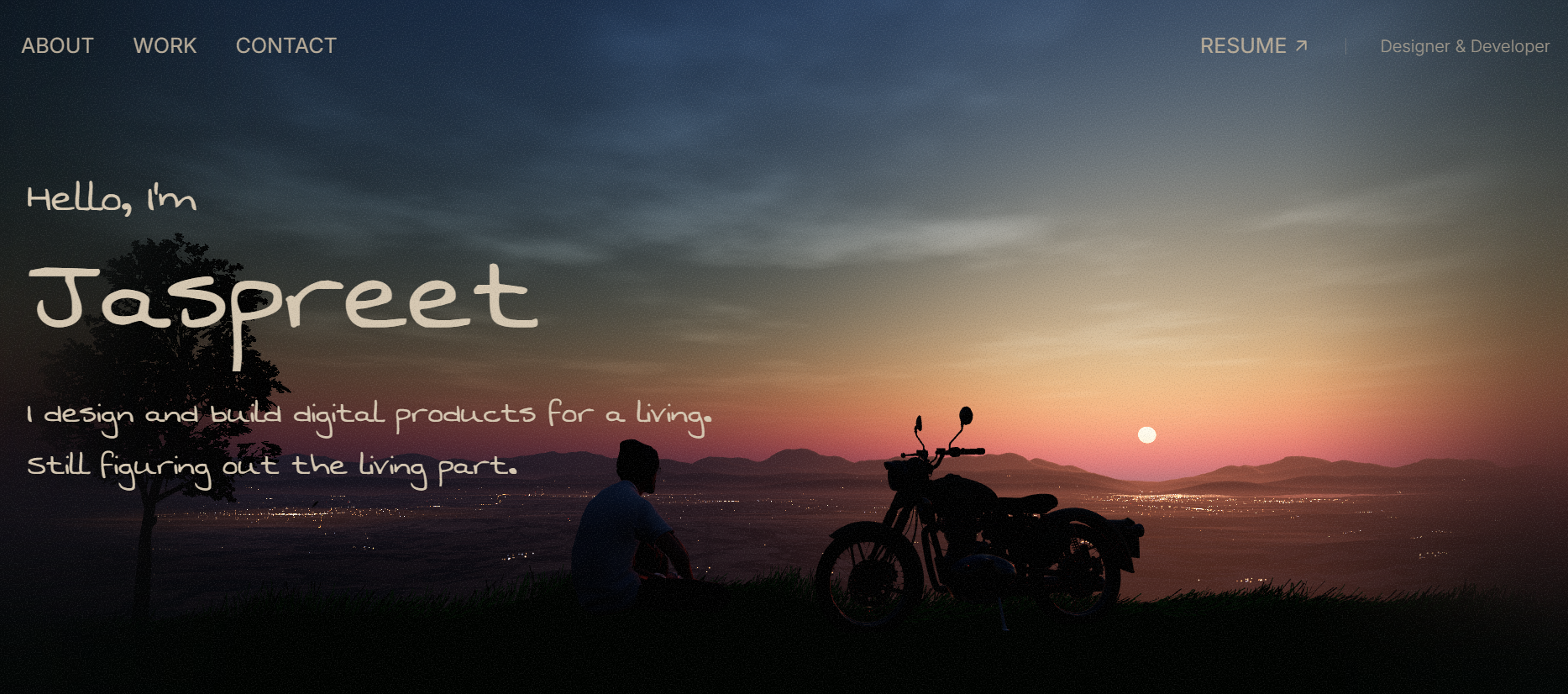
Portfolio websites showcase an individual's or company's work, skills and achievements. They are commonly used by photographers, designers, developers and creative professionals to attract clients.
Examples:
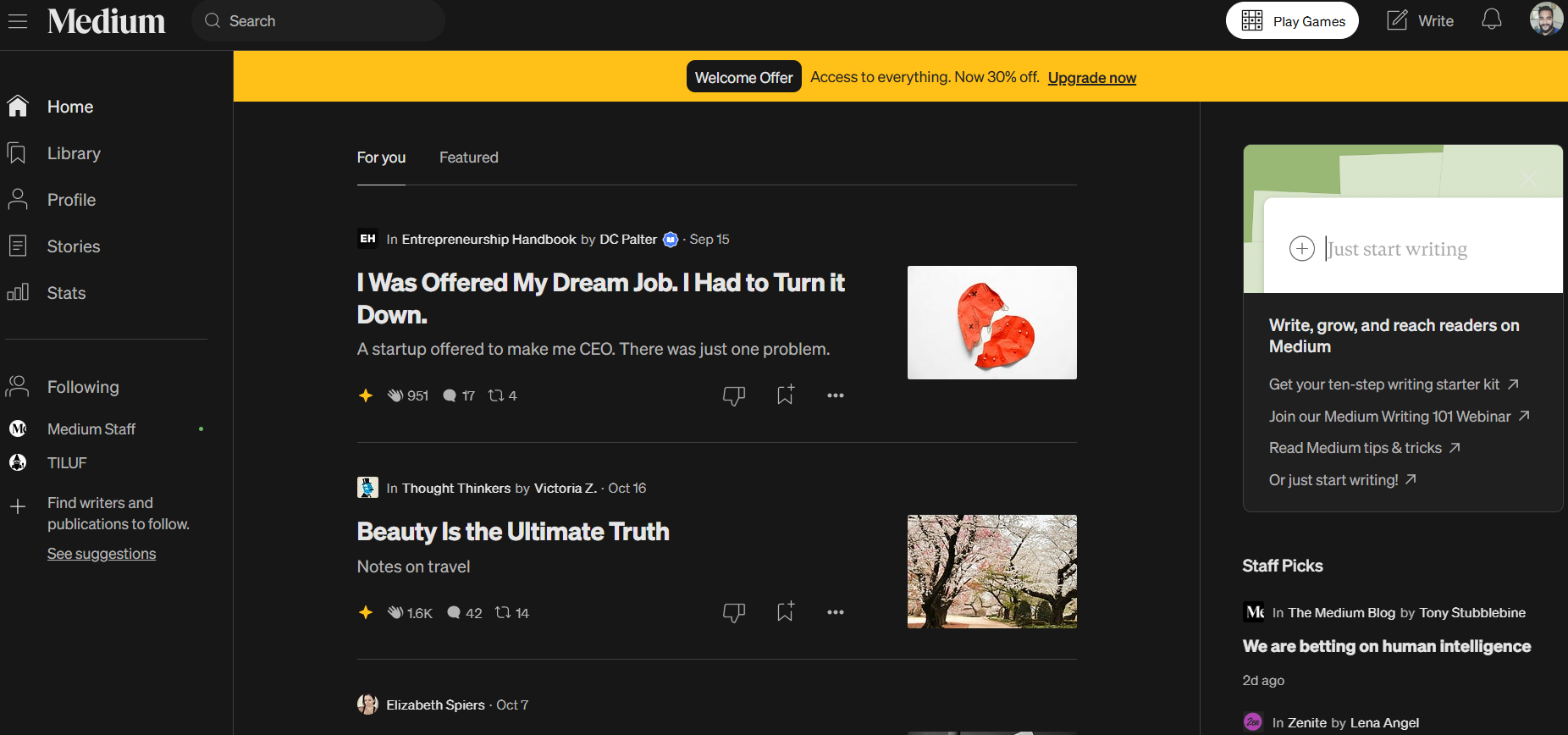
These websites publish articles, guides, news and other informational content. Businesses often use them to educate their audience, build authority and attract organic traffic through search engines.
Examples:
Landing pages are designed around a specific campaign or objective, such as generating leads, promoting a product or encouraging sign-ups. They usually focus on a single call to action.
Check out our web landing page to get an idea.
These websites offer interactive features that allow users to perform specific tasks, such as booking appointments, managing accounts, tracking orders or accessing services.
Choosing the right type of website is the first step. You can then determine the features, platform and development approach needed to support its purpose.
Today, we have plenty of platforms out there to build websites. Choosing one depends on your website requirements, budget, and the functionalities you want. Here are some of the top website development platforms:

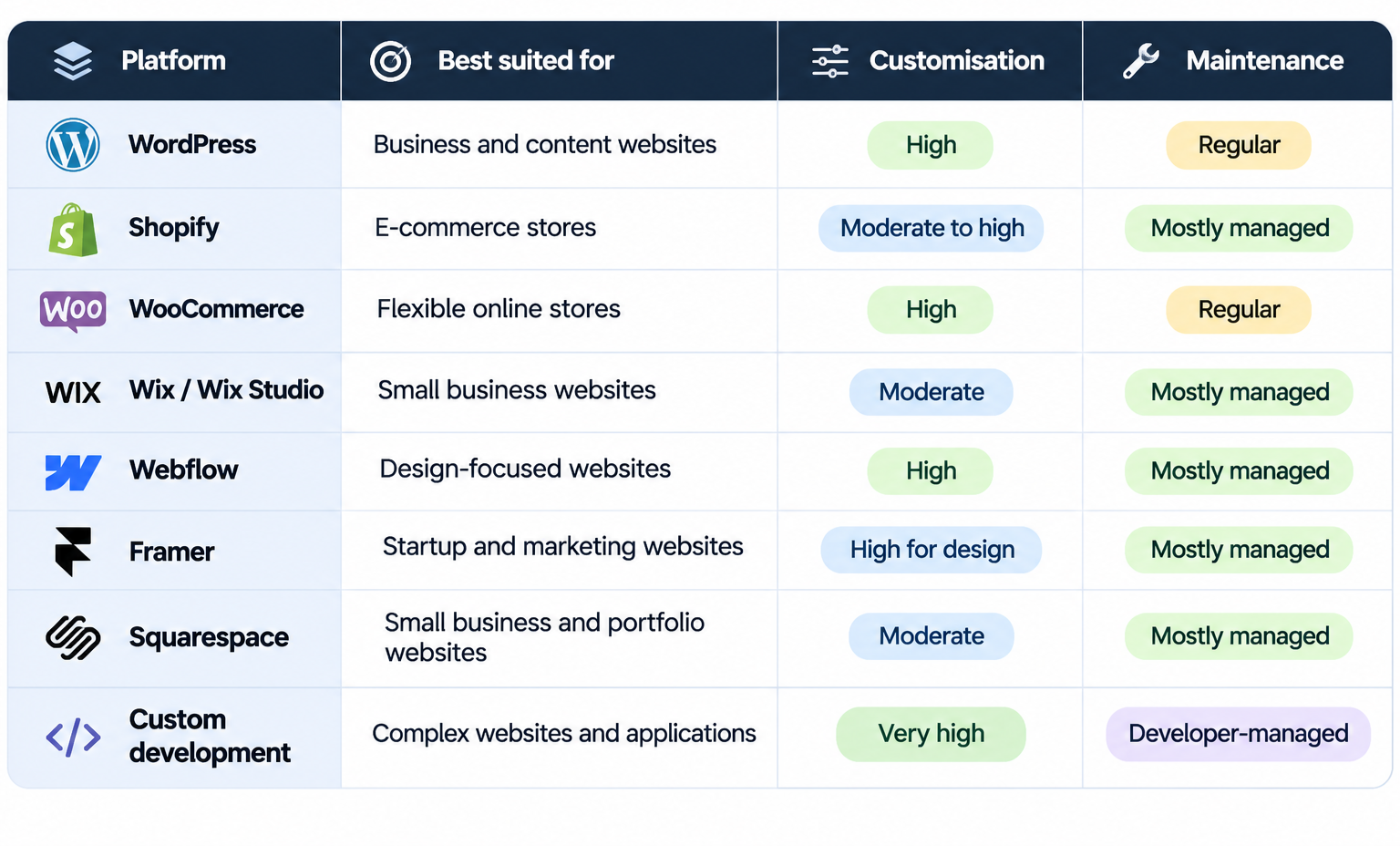
To create a functional website, several technologies are required depending on the website’s complexity, features and requirements. That’s not all; these technologies power the platforms we discussed above.
Platforms provide tools and systems to build and manage websites, while technologies are the programming languages, frameworks and other components used to develop their functionality.
Here are some commonly used website development technologies:
These technologies are used to build the parts of a website that visitors see and interact with.
These technologies handle server-side operations, data processing and communication between different systems.
Take an e-commerce website, for example.
HTML, CSS and JavaScript create the product pages and shopping experience.
Back-end technologies process orders, manage customer information and communicate with payment systems.
Databases store product details, customer records and order information.
Does every website need all these technologies? No. A simple business website may only need a CMS like WordPress. However, a complex web application may require a custom technology stack.
It all comes down to your requirements.
To make a website accessible on the internet, you need a domain name, web hosting and a way to manage its content. Each serves a different purpose.
A domain name is your website's address on the internet.
Example: https://harisand.co/
It's what users type into their browsers to visit your website.
Web hosting is the service that stores your website's files and makes them accessible online.
Common types of hosting include:
A CMS allows businesses to create, edit and manage website content without manually writing code for every change.
Assume that your website is a physical shop:
Not every business needs to purchase these services separately. Platforms such as Shopify, Wix and Squarespace include hosting, while self-hosted WordPress websites typically require a separate hosting provider.
Building a website follows a pathway, from understanding your business requirements to launching the website.
Here are the key steps involved in it:
Fancy animations might look good on a website, but does that make a website good?
A good business website is the one that helps visitors find what they're looking for and take the next step without unnecessary effort.
Here are some essential elements every business website should consider.
Visitors shouldn't have to search through multiple pages to find your services, pricing or contact details. A clear menu, logical page structure and relevant internal links make information easier to access.
Your website should work just as well on a smartphone as it does on a desktop. Text must be readable, buttons easy to tap and forms simple to complete without zooming or horizontal scrolling.
A slow website can frustrate visitors before they even explore your offerings. Optimised images, efficient code and reliable hosting help pages load faster.
Your website should answer the questions customers have before making a decision. A logistics company, for instance, should clearly explain its services, areas of operation, cargo capabilities and enquiry process rather than relying on generic company descriptions.
Every important page should guide visitors towards a relevant action.
A dental clinic might use "Book an Appointment", while a B2B service provider may benefit more from "Request a Quote". The CTA should match the visitor's intent and the page's purpose.
A website should be usable by people with different abilities. Readable text, sufficient colour contrast, descriptive image alt text, keyboard-friendly navigation and properly labelled forms improve accessibility.
An enquiry form should collect the information your team actually needs, without making the process unnecessarily lengthy.
For instance, a consultation enquiry may only require a name, contact details and a brief description of the requirement. Additional information can be collected during the follow-up conversation.
A well-designed website is of little use if potential customers cannot find it. Search engine optimisation (SEO) helps search engines discover, understand and index your website, improving its chances of appearing for relevant searches.
Above all, navigation becomes easier for users when you make your website user-friendly.
SEO should be considered during website development rather than treated as an additional task after launch.
Here are some important factors to consider:
An SEO-friendly website provides a strong technical foundation, but development alone does not guarantee higher rankings. Relevant content, search intent, competition and ongoing optimisation also influence search visibility.
Imagine you own a supermarket. You arrive one morning to discover it has been broken into. Besides the financial loss, your business operations could be disrupted. Right?
A similar situation can occur when a website is compromised. Customer data, business operations and even your reputation could be affected.
According to Cloudflare's 2025 Year in Review, 3.3% of traffic across its global network was mitigated as DDoS attacks or through web application firewall rules.
This highlights the importance of regular security monitoring, software updates and preventive measures to protect your website and its visitors.
Keep your CMS, plugins and themes updated to prevent security vulnerabilities and compatibility issues.
Use HTTPS, strong passwords, multi-factor authentication and malware protection to safeguard your website and customer data.
Back up website files and databases so you can restore them in case of technical failures, data loss or security incidents.
Check loading speed, uptime and Core Web Vitals. Address issues that could affect the visitor experience.
Regularly check enquiry forms, payment gateways, booking systems and navigation links to ensure everything works correctly.
Review service details, pricing, contact information and other important content to avoid displaying outdated information.
Having a website doesn't mean it will continue to meet your business needs forever.
As customer expectations, technologies and your business evolve, your website may need improvements or a complete redesign.
Here are some signs it's time to consider revamping your website.
An old-fashioned design, cluttered layouts or inconsistent branding can make your business appear less professional, especially when compared to competitors.
If visitors have to wait several seconds for a page to load, they may leave before exploring your products or services. Check your website's performance using Google PageSpeed Insights.
If visitors need to zoom in to read content, struggle to tap buttons or encounter broken layouts on smartphones, your website needs attention.
Visitors are reaching your website, but they're not contacting you or making purchases. Confusing navigation, unclear CTAs, complicated forms or missing information could be contributing to poor conversions.
If changing a service description, adding a product or publishing a blog requires developer assistance every time, your website's content management system may no longer suit your needs.
Perhaps you've introduced new services, entered new markets or changed your branding. If your website still communicates outdated information, potential customers may get the wrong impression.
The frequency depends on its complexity, traffic and functionality. Business-critical websites may require daily monitoring, while routine maintenance can follow a weekly or monthly schedule.
Not necessarily. Some problems can be resolved through targeted improvements, while others may require changes to the website's design, structure or underlying technology.
Website development costs depend on the number of pages, design requirements, platform, functionality and integrations. A basic business website generally costs less than a custom e-commerce website or web application. Hosting, domain renewals and maintenance are additional considerations.
A simple business website may take 2–6 weeks, while larger websites with custom functionality can take several months. Timelines depend on design complexity, content readiness, integrations and approval cycles.
Yes. Platforms such as Wix, Shopify, Squarespace and WordPress offer tools for building and managing websites without extensive coding knowledge. However, advanced customisation and integrations may require developer assistance.
AI tools such as Lovable, Bolt and Replit Agent can generate website layouts, code and functional prototypes using text prompts. However, AI-generated websites still need testing for security, performance, accessibility and reliability before launch.
Vibe coding is an AI-assisted approach where users describe the website or functionality they want in natural language, and AI generates the corresponding code. It can speed up prototyping, but the resulting code may require technical review and refinement.
WordPress is generally suitable for service websites, blogs and content-heavy websites. Shopify is designed primarily for e-commerce businesses. The better option depends on whether your priority is content management, selling products or specific custom functionality.
Yes, but migrating between platforms may require rebuilding designs, transferring content and data, and recreating functionality. Proper URL redirects and SEO checks are essential to minimise disruption.
Not necessarily. Website builders can handle straightforward requirements. A developer becomes useful when you need custom functionality, advanced integrations, complex designs or technical troubleshooting.
Review the company's previous projects, technical expertise, understanding of your business requirements and post-launch support. Clarify the project scope, timeline, ownership, maintenance responsibilities and total costs before proceeding.
Need a website that drives business for you? Let’s talk
No. Google must discover and index your website before it can appear in search results. Proper technical SEO, useful content and internal linking improve its chances of being indexed and ranking for relevant searches. Indexing and rankings are not guaranteed.
A good business website isn't just about how it looks. It's about how easily customers can find your business, explore your offerings and take the next step.
From choosing the right development platform to getting the design, functionality, SEO and security right, every decision plays a role in how your website performs.
At Haris&Co., we've helped brands like Misty Mountain, Odyssia, Walkaroo, Danube Sportworld and BOSQ, among others, bring their websites to life.
Whether you're building your first website or planning a revamp, we'd love to work on yours next.
Have a website in mind? Let's make it happen.

We're here to partner with you every step of the way.

